
Your Reports page has three tools for tracking down a Report quickly. You can search by name, sort the list, or filter it down to a single Report type.
Search for a Report by Name
Use the search field when you already know what the Report is called.
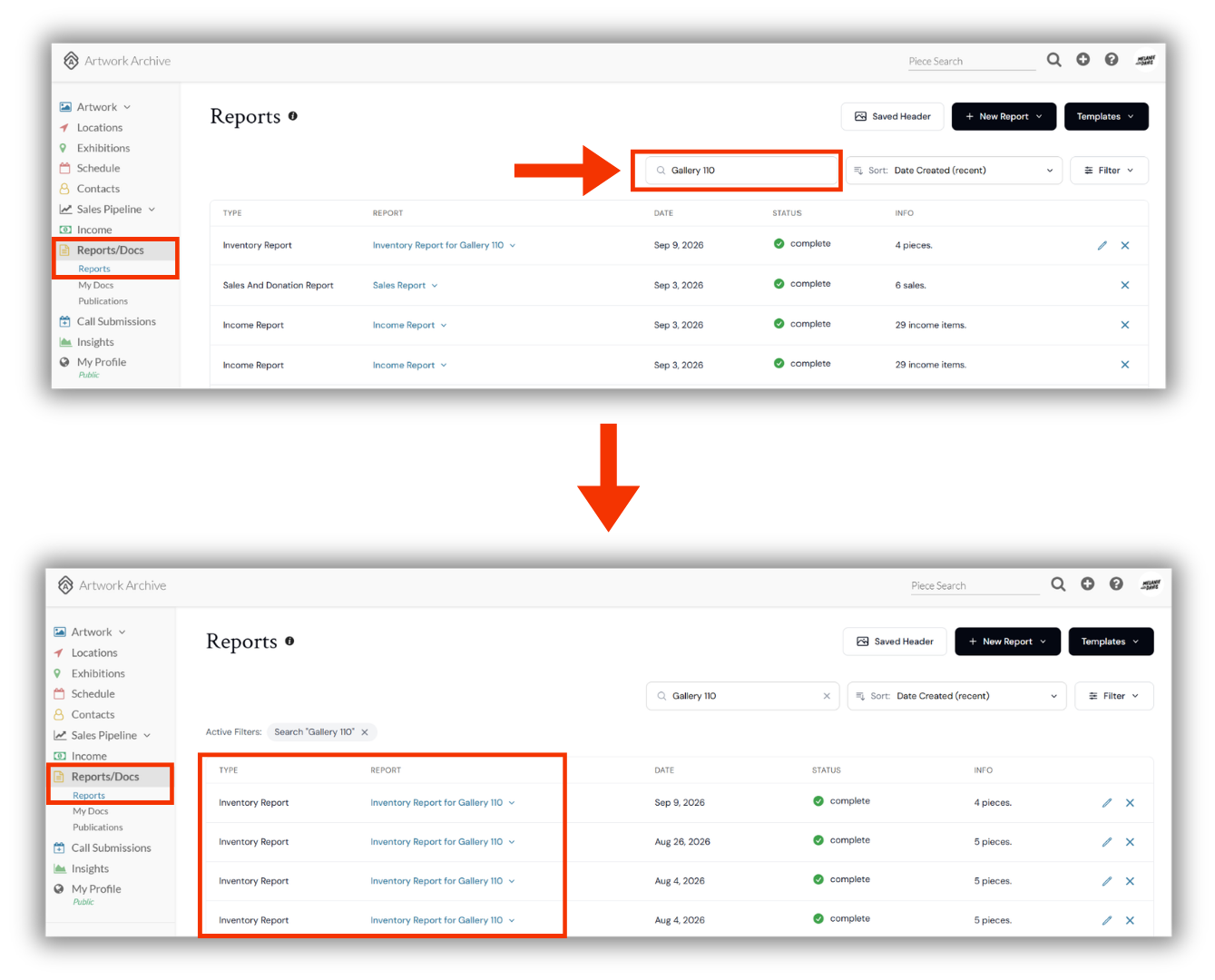
Navigate to Reports/Docs > Reports in your left-side menu
In the Search reports field above your Report list, type the name of the Report you are looking for
Select the magnifying glass in the field to run your search
Sort Your Reports
Use the Sort drop-down to control the order your Reports appear in.
Navigate to Reports/Docs > Reports in your left-side menu
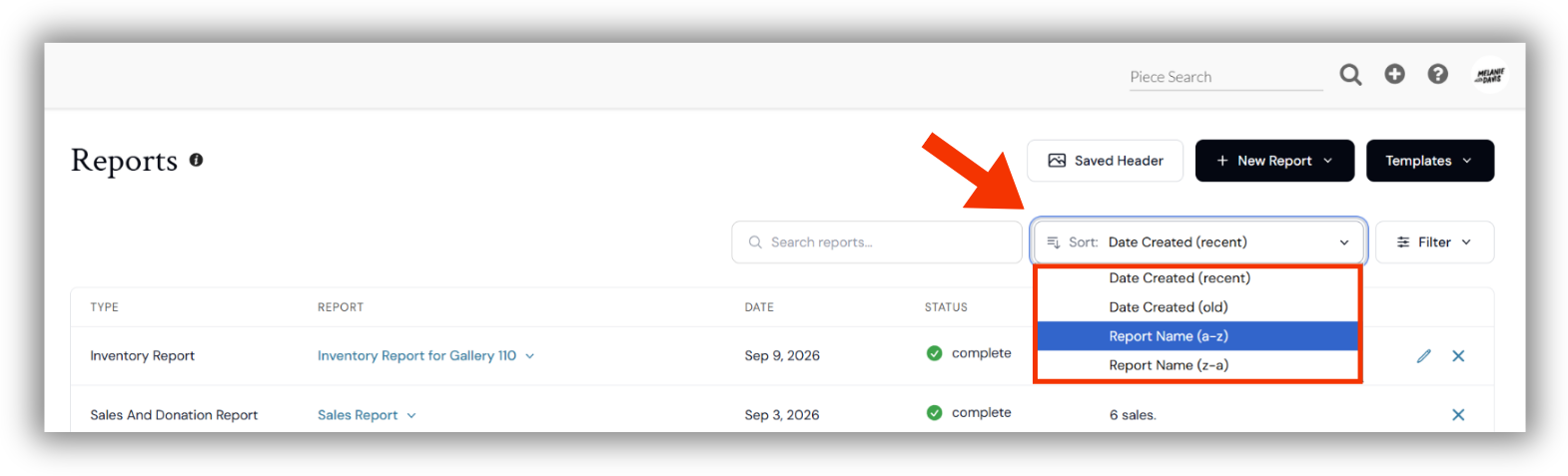
Select the Sort drop-down, to the right of the Search reports field
Choose your preferred sort order
Date Created (recent)
Date Created (old)
Report Name (a-z)
Report Name (z-a)
Filter Your Reports by Type
Use the Filter drop-down to narrow your list to one Report type. This is the fastest way to pull up every Report of the same kind once your library has grown.
Navigate to Reports/Docs > Reports in your left-side menu
Select the Filter drop-down, to the right of Sort
Select the Report type you want to view
Your Report list updates to show only Reports of that type
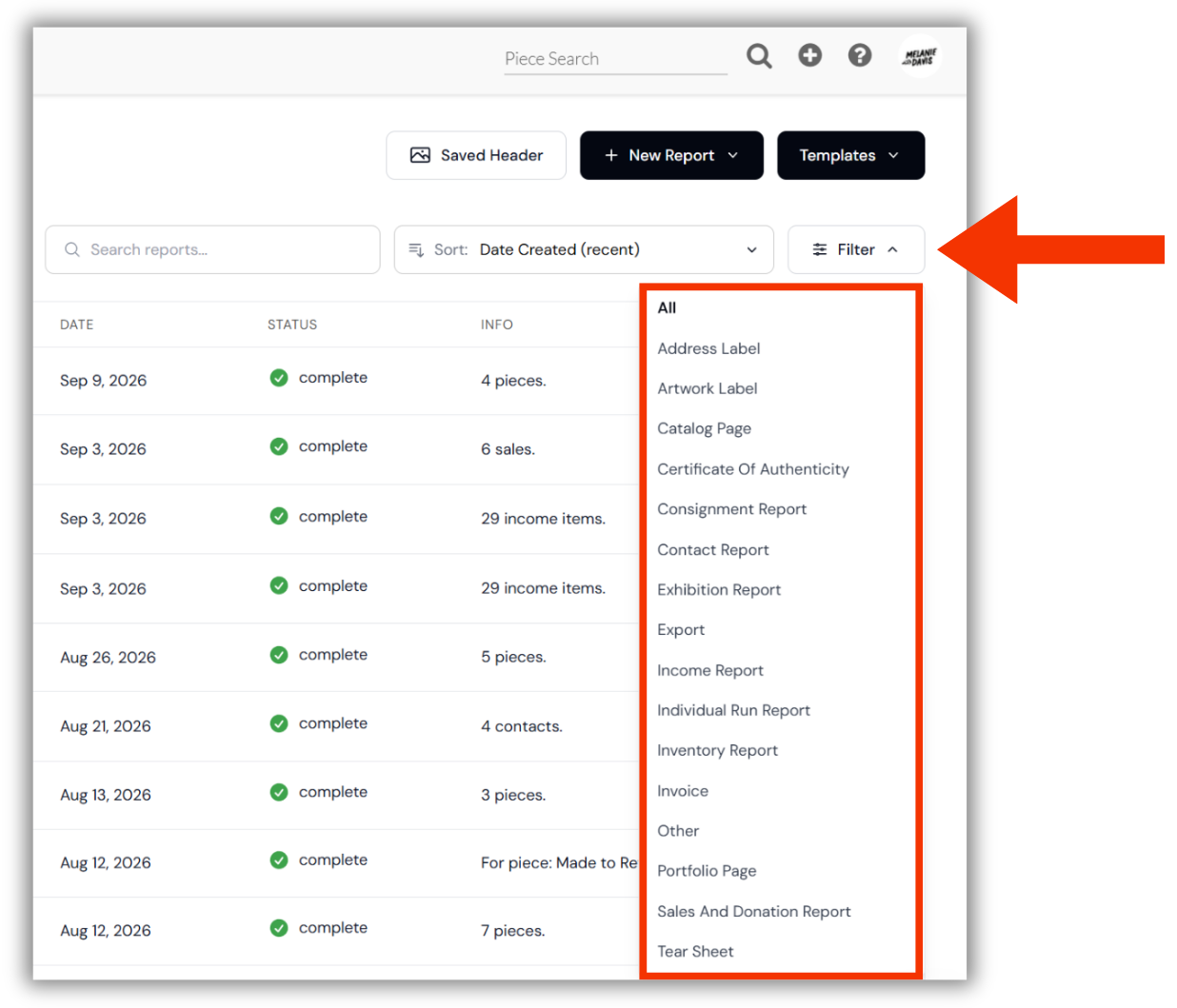
Your Filter options are All, Address Label, Artwork Label, Catalog Page, Certificate Of Authenticity, Consignment Report, Contact Report, Exhibition Report, Export, Income Report, Individual Run Report, Inventory Report, Invoice, Other, Portfolio Page, Sales And Donation Report, and Tear Sheet. Select All at any time to bring your full list back.
Did you know?
Data exports land in your Report list too, with a Type of Export. Filter by Export to pull up every spreadsheet you have generated.
Did you know?
From creating your first Report to customizing your branding, saving templates, and choosing the right Report type for every occasion, our complete guide covers it all.